Delivery windows
Nine to eleven means nine to eleven. A stop that cannot be reached inside its window is handed back to you by name, never quietly scheduled late.
Features
Planning, dispatch, the driver’s phone and the proof, in one app. Route planning is in the base price, not a tier above it.
Route planning
Four constraints decide whether a plan survives a real morning. Delivery plans against all of them, for one run or the whole day.
Nine to eleven means nine to eleven. A stop that cannot be reached inside its window is handed back to you by name, never quietly scheduled late.
Weight and deck volume per vehicle, so a plan never puts nine tons on a bakkie. Leave the figures blank and the limit simply does not apply.
Routes start and end where the vehicle actually lives, so the distance and the get-home time are real numbers.
A stop that takes twenty minutes to offload is not a stop that takes three. Without this, every plan runs early and the day drifts by mid-morning.
Plan the Day
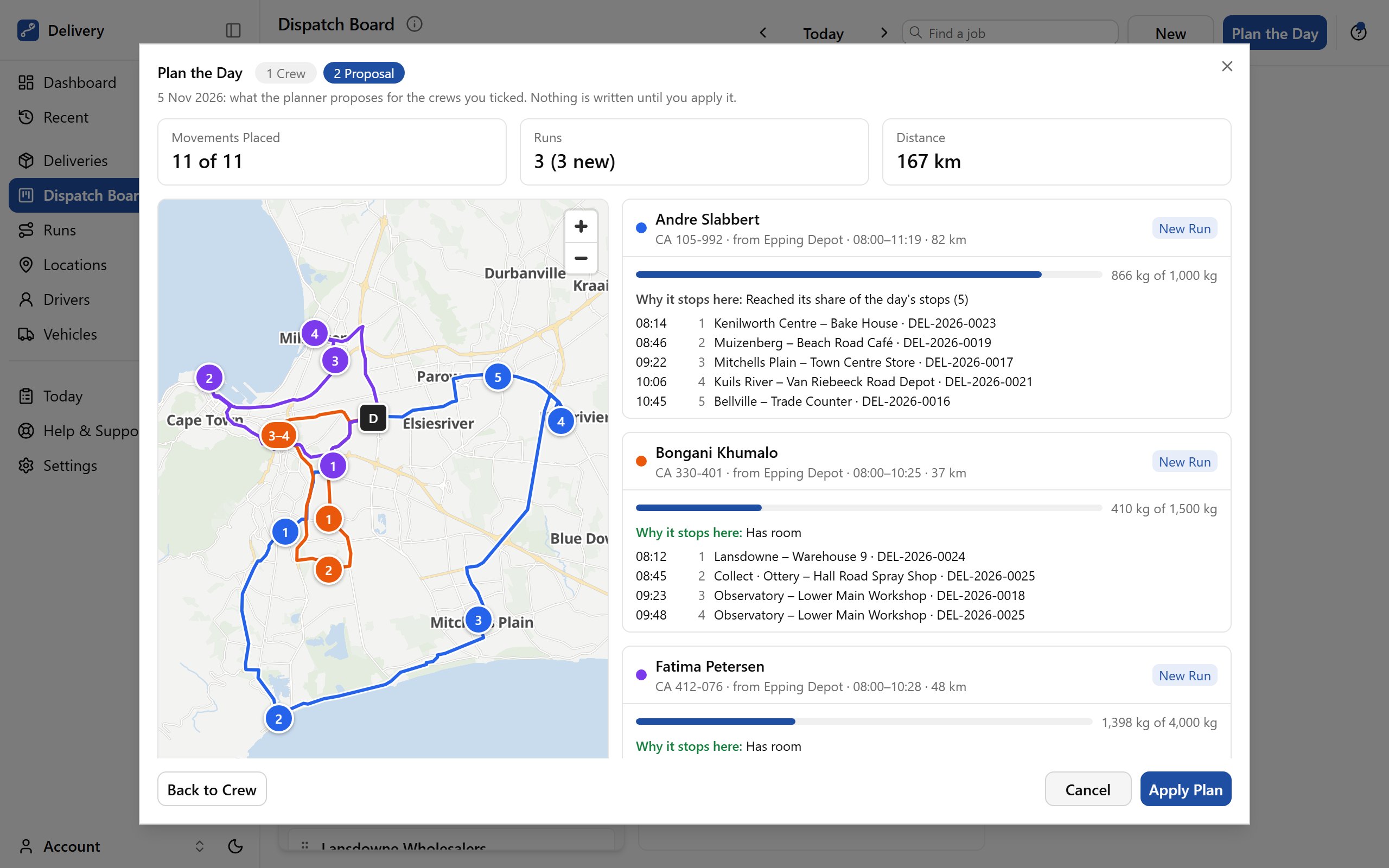
Pick the crew on the Dispatch Board, see the proposal and why it looks the way it does, then apply it. Every run is planned exactly as Plan Route would plan it on its own.
Runs
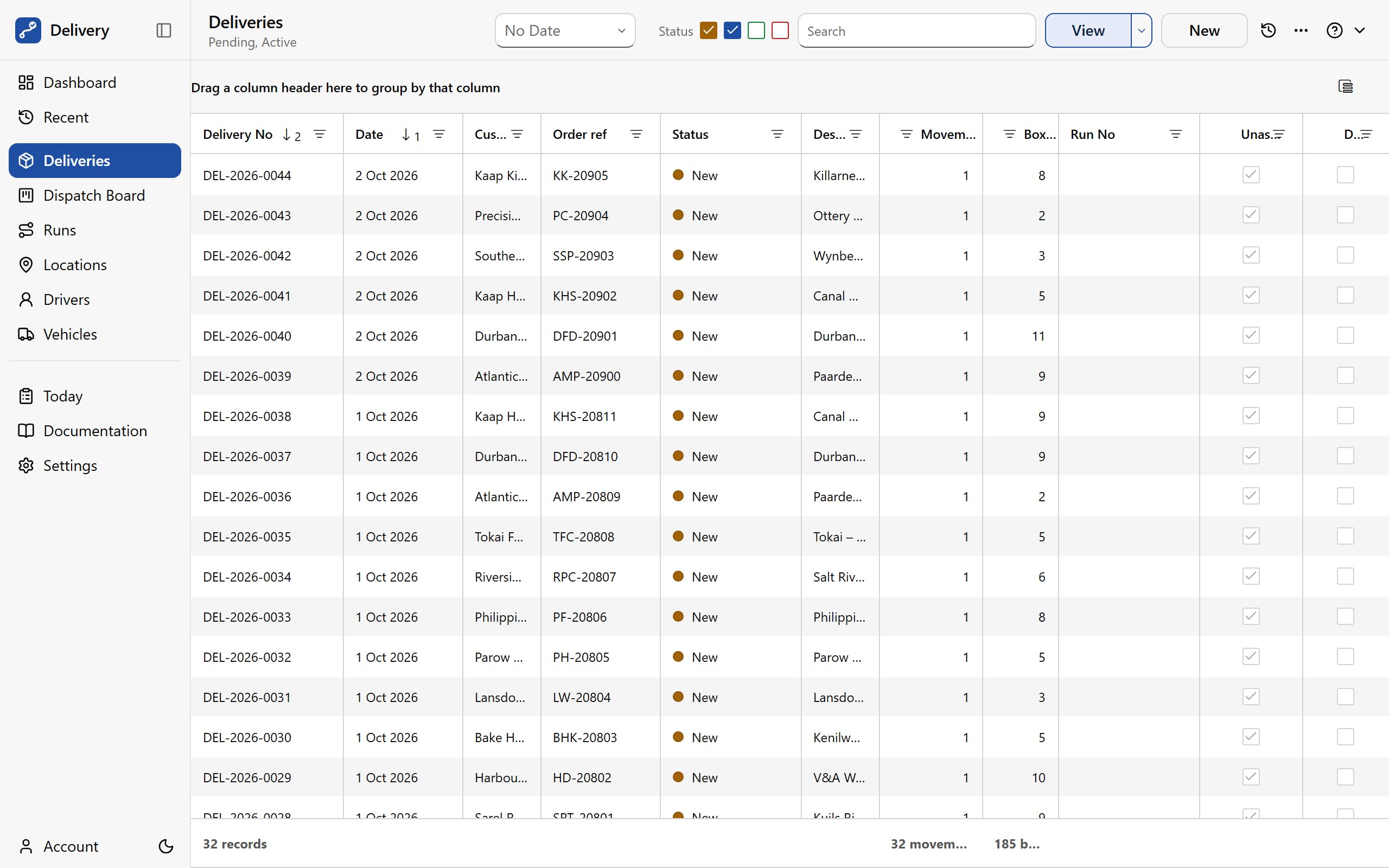
The plan is a proposal, not an instruction. Move the stops into whatever order you want and dispatch it as it stands.
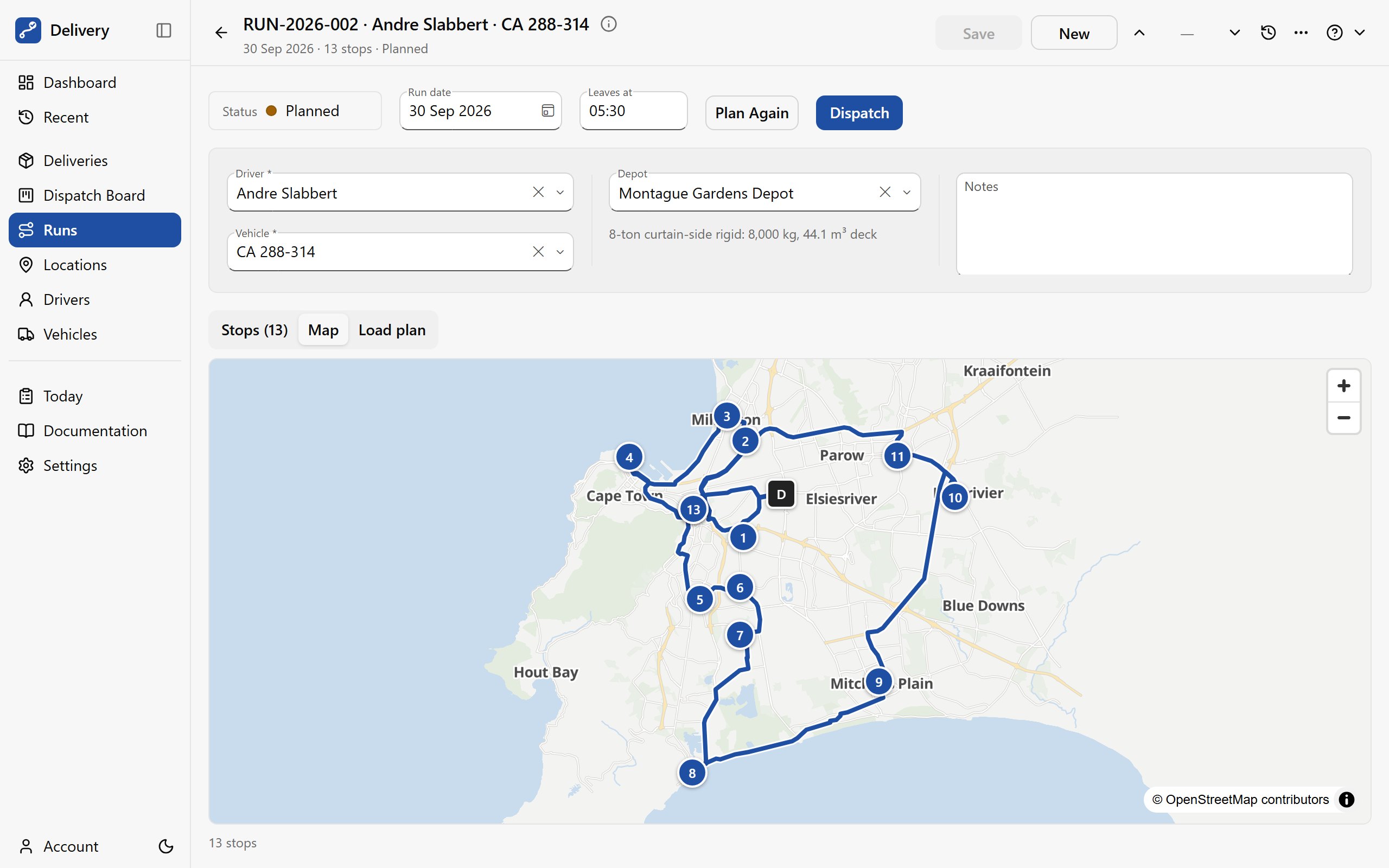
Load plan · switch it on
Step through the load in the order it goes on, so the yard loads it the way the driver will need it. Packing into boxes and the 3D load plan are switches in Settings: turn them on when your company works that way, and Delivery stays simple when it doesn’t.
Deliveries
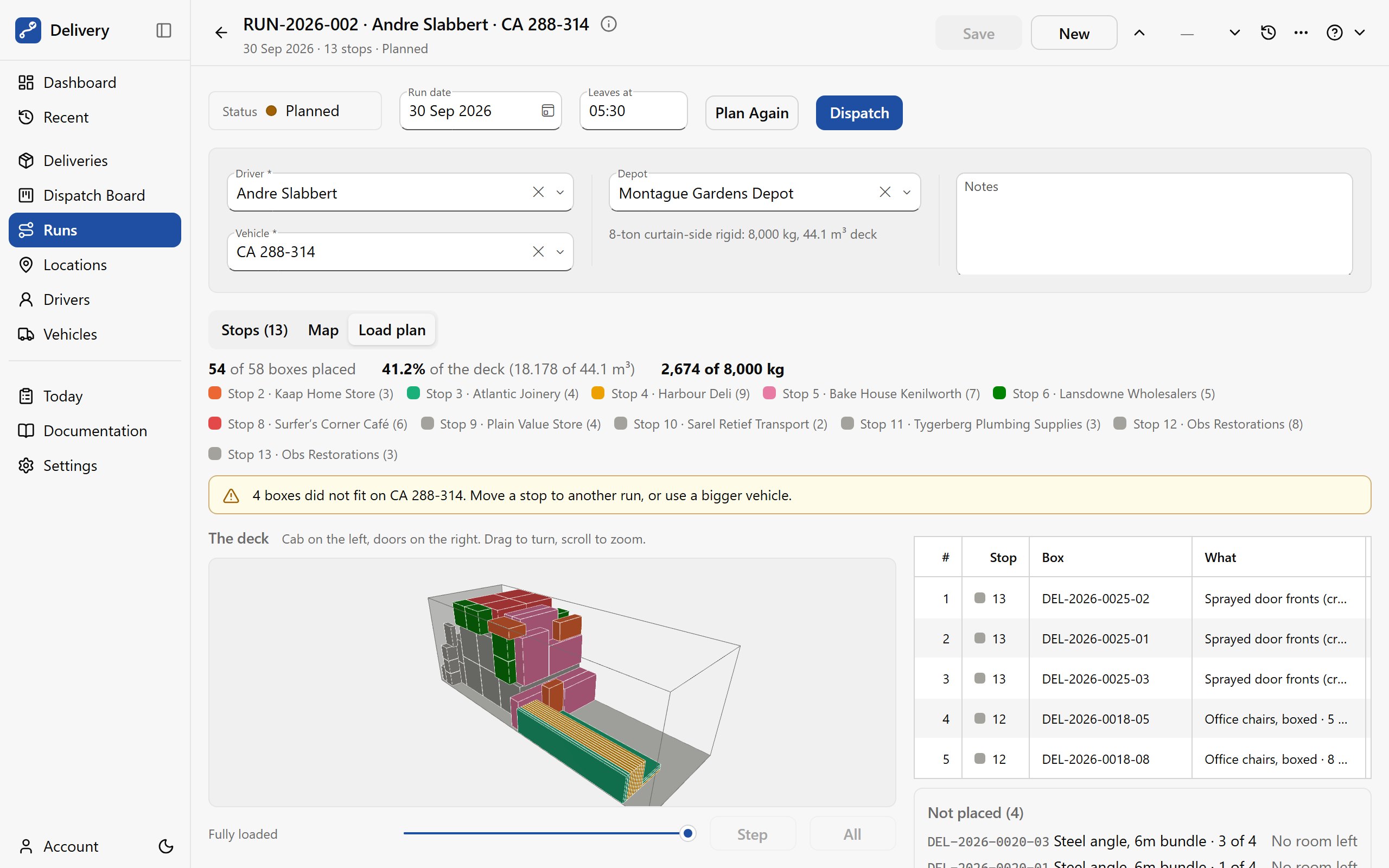
Pick up on Tuesday, deliver on Thursday: each movement goes on its own run and the goods can never be in two places at once.
Built here, for conditions here
Load shedding takes towers with it, and coverage outside the metros is not a given. Capture works offline and syncs when it returns. The driver opens Today once with signal, and after that it opens in a dead zone too.
A web address, on whatever phone the driver already carries, added to the home screen in two taps. No APK, no IT project, no version out of date on one handset.
Plenty of real delivery addresses do not resolve to a reliable pin. Delivery learns from the GPS your drivers capture at the door, and a clerk confirms it once.
The licence disc, Certificate of Fitness and the driver’s Professional Driving Permit are on the record, with anything expiring in thirty days on the Dashboard.
The app asks for a reason before the driver can finish. That turns an awkward conversation at a gate into a number you can sort by at month end.
Each driver’s shifts and absences, so a plan never sends someone who is on leave, and says so when a run goes past the end of their day.
For the whole team
Set up the company, planning defaults and proof rules, and decide who does what.
Capture deliveries, plan the day, dispatch runs and follow them to the last signature.
Their own run on their phone, and nothing else to learn.
Tell us how many vehicles you run and what you deliver, and we will show you Delivery planning and proving a day like it.